As more and more integrations are being added to the ImmyBot platform, its becoming a little tricky to spot which integrations are healthy for each tenant.
It would be awesome if it was similar to the computers page, where you have a list of each integration. If its healthy, its the normal color. Unhealthy it has maybe an next to it or color it red or something to get our attention.
Yes this info exists elsewhere, but when you have multiple integrations for the same product, being able to spot on the fly tenants who are broken, missing mappings, etc makes things much easier.
The integration pages need some love around features like this! Good call out.
In the meantime try this prompt with Immy MCP (if you have beta access to it) and agent of your choice to get a readout. MCP will be general release with v0.85.0 in the next few weeks.
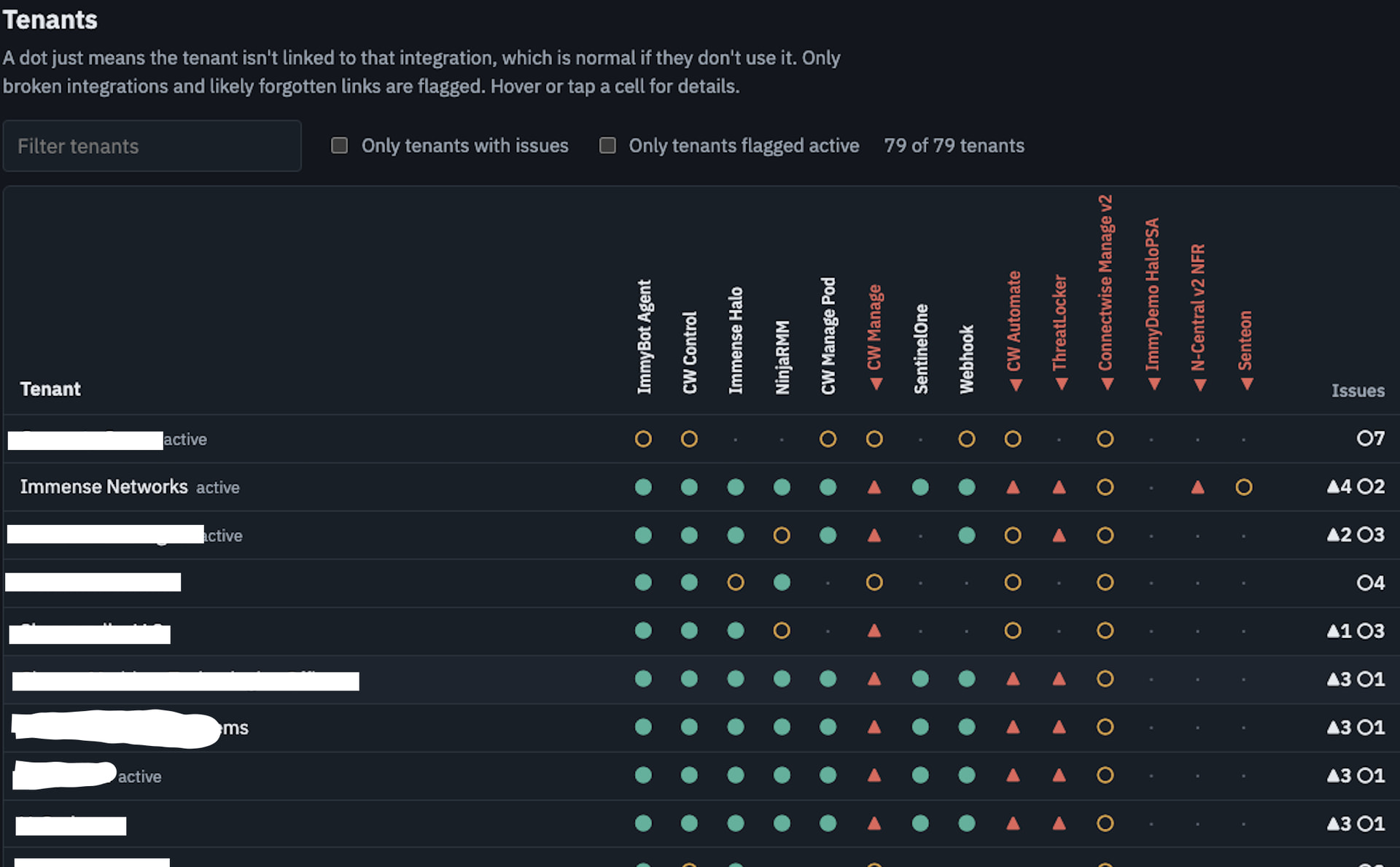
Using ImmyBot, build an integration health readout by tenant. Only include enabled integrations. For each one, show its health and summarize any error in one line. Then build a table with one row per tenant and one column per integration. Mark each cell mapped and healthy, mapped but the integration is unhealthy, or not mapped. Only flag for integrations that at least half of tenants are mapped to. Sort tenants with the most problems to the top. Finally, list unlinked integration clients whose names closely match an existing tenant, and any tenant mapped to more than one client in the same integration.
Yep been using the MCP for awhile. It works as described, but is not a replacement for some UI love.
At my organization’s size (>75,000 managed devices, >5000 tenants), MCP struggles, the context just starts to get huge and becomes inefficient. And realistically, we have >300 ImmyBot users, not every single one has access to an AI solution.
 next to it or color it red or something to get our attention.
 mapped and healthy,
  mapped but the integration is unhealthy, or
  not mapped. Only flag
 . That is not a chat thing. I have logged this need for a such a view.