We’ve had several users complain that when their computers are performing maintenance they are not notified that anything is happening or that their computer will reboot.
We’ve seen we can do a notification that allows users to Allow/Prevent maintenance from starting, but nothing about a notification saying “We’re currently running maintenance and your computer may reboot several times to complete this maintenance cycle” type of thing, in case the end-user happens to be working on their machine during the maintenance window.
Is there any way to get the Immy.bot agent to pass a Toast notification automatically just to notify users when a maintenance task is running, so they know which tasks are running in the background, and whether or not that maintenance item may force a reboot to complete?
It would be even better if we could brand the Immy Agent and push notification window, but we’d like to start with the toast notification if possible?!
Kind regards,
-John
jbrown
February 9, 2026, 2:06pm
2
There is a task named “Get Maintenance Consent From Logged In User” that may help your case.
That sounds pretty cool!
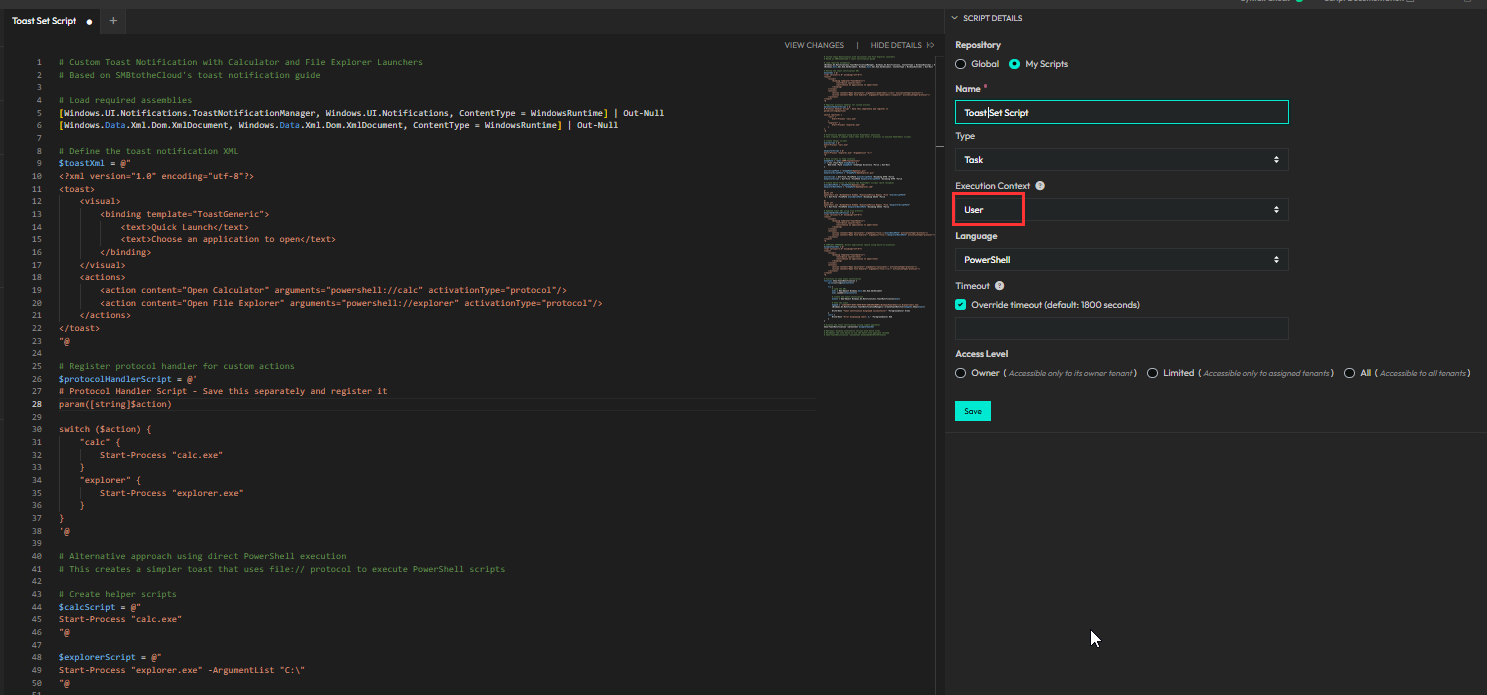
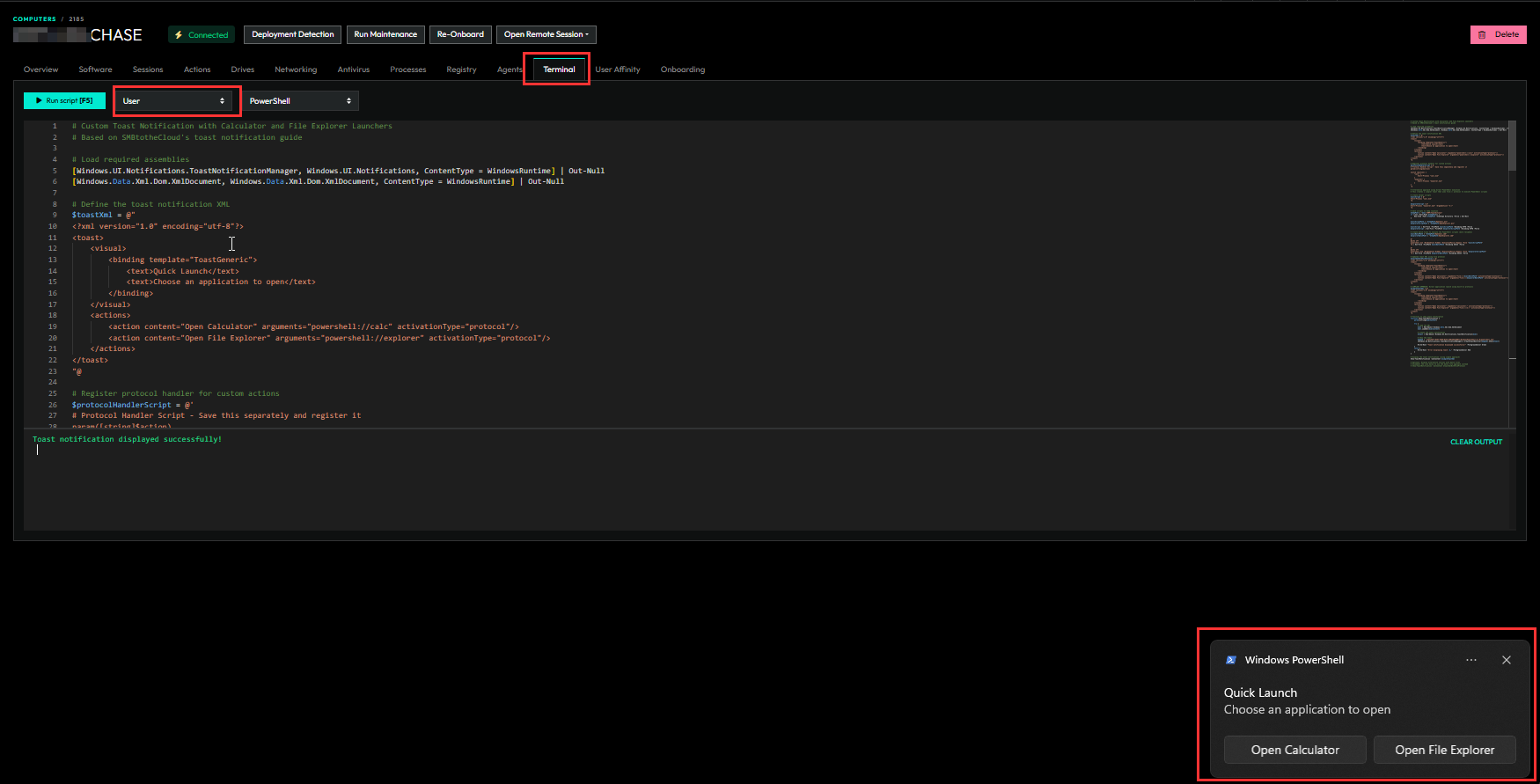
I feel like this is definitely possible. I haven’t done much testing, but you might be able to make a custom task with PowerShell that runs in user context to display a toast notification.
Also, you can use Chat-GPT/Claude and the user context terminal on your computer to test it and have it display what you’d like it to.
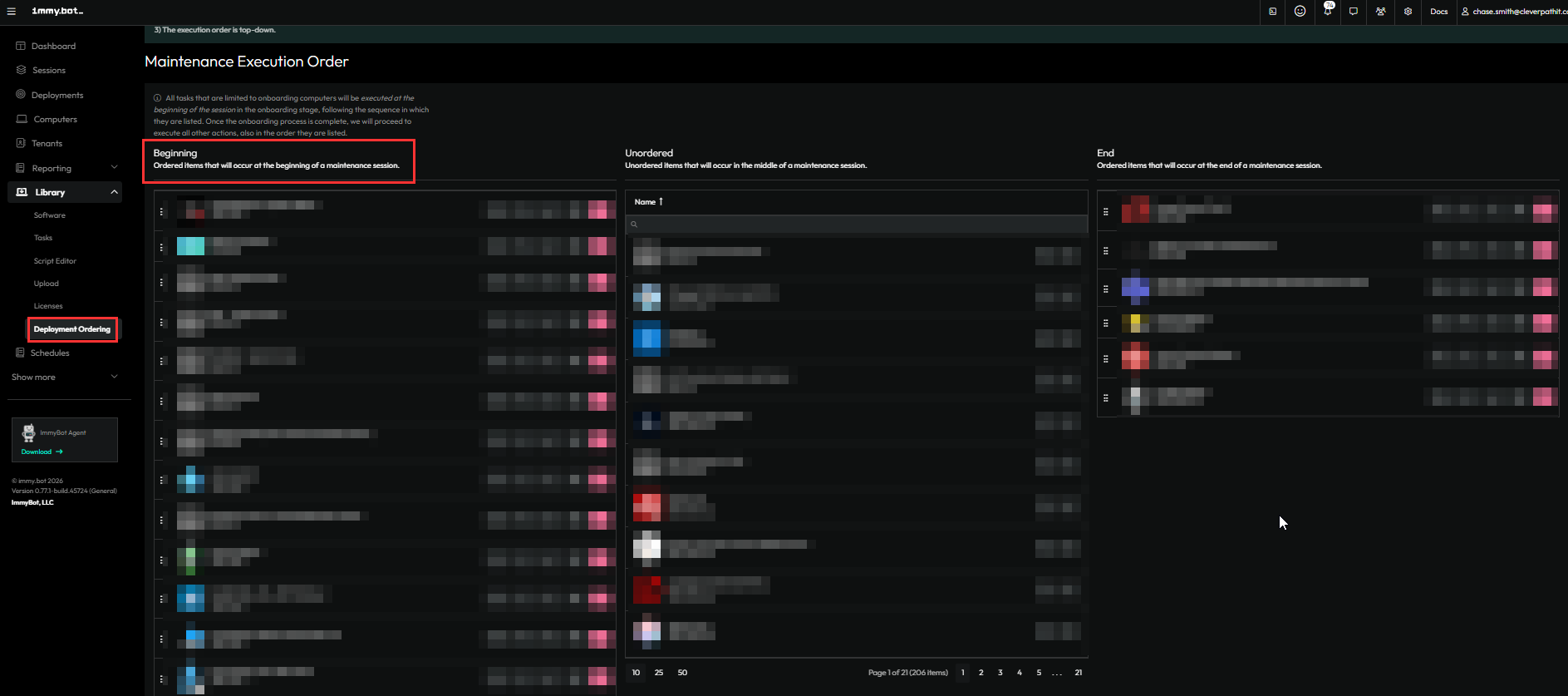
Then just make that a deployment and the order it to the top of the list. Then it should run in Full Maintenance Schedules and notify the user.
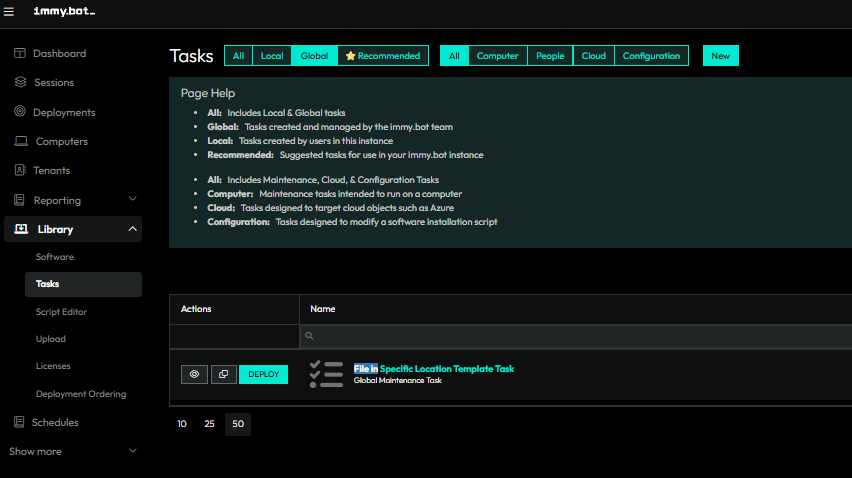
Also, if you wanted to get really crazy, I bet you could duplicate the File in place task to set an icon image somewhere and call the icon location in your toast PowerShell to get your branding.
Here’s a template for PowerShell and toast notifications that you could mod:
# Custom Toast Notification with Calculator and File Explorer Launchers
# Based on SMBtotheCloud's toast notification guide

# Load required assemblies
[Windows.UI.Notifications.ToastNotificationManager, Windows.UI.Notifications, ContentType = WindowsRuntime] | Out-Null
[Windows.Data.Xml.Dom.XmlDocument, Windows.Data.Xml.Dom.XmlDocument, ContentType = WindowsRuntime] | Out-Null

# Define the toast notification XML
$toastXml = @"
<?xml version="1.0" encoding="utf-8"?>
<toast>
    <visual>
        <binding template="ToastGeneric">
            <text>Quick Launch</text>
            <text>Choose an application to open</text>
        </binding>
    </visual>
    <actions>
        <action content="Open Calculator" arguments="powershell://calc" activationType="protocol"/>
        <action content="Open File Explorer" arguments="powershell://explorer" activationType="protocol"/>
    </actions>
</toast>
"@

# Register protocol handler for custom actions
$protocolHandlerScript = @'
# Protocol Handler Script - Save this separately and register it
param([string]$action)

switch ($action) {
    "calc" {
        Start-Process "calc.exe"
    }
    "explorer" {
        Start-Process "explorer.exe"
    }
}
'@

# Alternative approach using direct PowerShell execution
# This creates a simpler toast that uses file:// protocol to execute PowerShell scripts

# Create helper scripts
$calcScript = @"
Start-Process "calc.exe"
"@

$explorerScript = @"
Start-Process "explorer.exe" -ArgumentList "C:\"
"@

# Save scripts to temp location
$tempPath = "$env:TEMP\ToastActions"
if (-not (Test-Path $tempPath)) {
    New-Item -Path $tempPath -ItemType Directory -Force | Out-Null
}

$calcScriptPath = "$tempPath\OpenCalc.ps1"
$explorerScriptPath = "$tempPath\OpenExplorer.ps1"

$calcScript | Out-File -FilePath $calcScriptPath -Encoding UTF8 -Force
$explorerScript | Out-File -FilePath $explorerScriptPath -Encoding UTF8 -Force

# Create batch files to execute the PowerShell scripts (more reliable)
$calcBatchPath = "$tempPath\OpenCalc.cmd"
$explorerBatchPath = "$tempPath\OpenExplorer.cmd"

@"
@echo off
powershell.exe -WindowStyle Hidden -ExecutionPolicy Bypass -File "$calcScriptPath"
"@ | Out-File -FilePath $calcBatchPath -Encoding ASCII -Force

@"
@echo off
powershell.exe -WindowStyle Hidden -ExecutionPolicy Bypass -File "$explorerScriptPath"
"@ | Out-File -FilePath $explorerBatchPath -Encoding ASCII -Force

# Updated toast XML using file protocol
$toastXmlWithFileProtocol = @"
<?xml version="1.0" encoding="utf-8"?>
<toast>
    <visual>
        <binding template="ToastGeneric">
            <text>Quick Launch</text>
            <text>Choose an application to open</text>
        </binding>
    </visual>
    <actions>
        <action content="Open Calculator" arguments="file:///$calcBatchPath" activationType="protocol"/>
        <action content="Open File Explorer" arguments="file:///$explorerBatchPath" activationType="protocol"/>
    </actions>
</toast>
"@

# SIMPLEST APPROACH: Direct application launch using built-in protocols
$simpleToastXml = @"
<?xml version="1.0" encoding="utf-8"?>
<toast>
    <visual>
        <binding template="ToastGeneric">
            <text>Quick Launch</text>
            <text>Choose an application to open</text>
        </binding>
    </visual>
    <actions>
        <action content="Open Calculator" arguments="calculator:" activationType="protocol"/>
        <action content="Open File Explorer" arguments="file:///C:/" activationType="protocol"/>
    </actions>
</toast>
"@

# Function to show toast notification
function Show-ToastNotification {
    param([string]$xmlContent)

    try {
        # Load the XML
        $xml = New-Object Windows.Data.Xml.Dom.XmlDocument
        $xml.LoadXml($xmlContent)

        # Create the toast notification
        $toast = New-Object Windows.UI.Notifications.ToastNotification($xml)

        # Show the toast
        $appId = '{1AC14E77-02E7-4E5D-B744-2EB1AE5198B7}\WindowsPowerShell\v1.0\powershell.exe'
        [Windows.UI.Notifications.ToastNotificationManager]::CreateToastNotifier($appId).Show($toast)

        Write-Host "Toast notification displayed successfully!" -ForegroundColor Green
    }
    catch {
        Write-Host "Error displaying toast: $_" -ForegroundColor Red
    }
}

# Display the toast notification (using simple approach)
Show-ToastNotification -xmlContent $simpleToastXml

# Optional: Display alternative version with batch files
# Uncomment the line below to use the batch file approach instead
# Show-ToastNotification -xmlContent $toastXmlWithFileProtocol
We are currently making some improvements to the reboot notifications overall. I included this feedback since it was outside of some of the planned work there. Thanks for submitting your feedback.
1 Like