Just had a use case where I think the ability to setup a deployment to multiple tags would be helpful. I am aware you can create multiple deployments but just thought I would put this out there for cleanliness. As we get deeper into using tags, we find them so powerful. This would be great to extend that power.
Second this, it would be tremendously helpful to be able to do so.
We also have a use case for this. Customer has multiple regions and will continue to grow with acquisitions. They want certain programs deployed based on regions, of which we have setup tags for each. Being able to have the deployment run on machines only with these (multiple) tags would be much cleaner and more helpful than having to setup separate deployments for each region tag.
Hi Craig,
There is a workaround that I have found works just as well if not better. Basically, you use filter scripts. Then you can have different scripts filter for different combination of tags. It’s pretty nice. I’ll show you an example we have set up for windows patching. (Feel free to ignore the other logic)
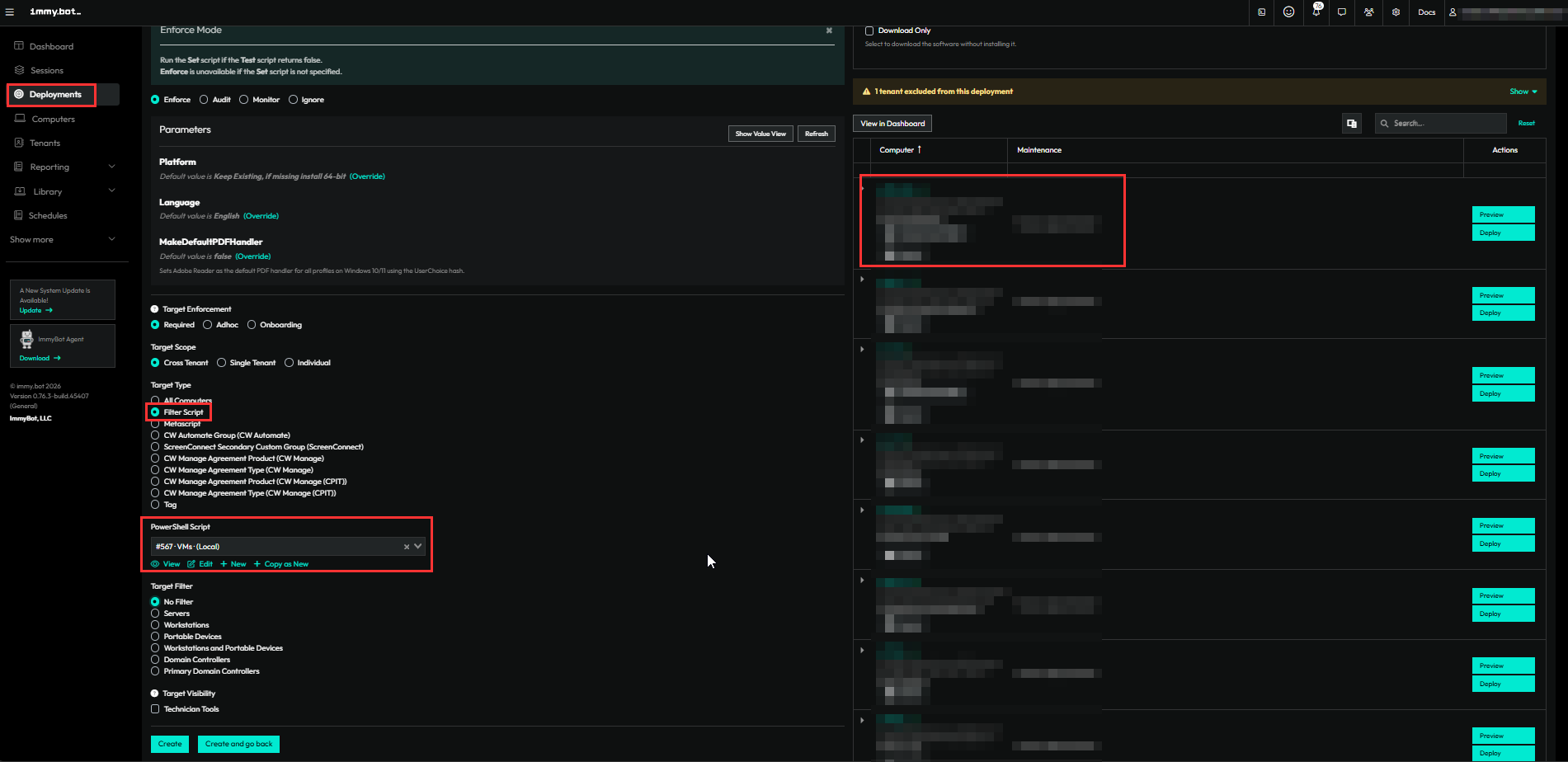
The code in red will only return computers that DO have “VM” tag but do NOT have “Exclude Patching” tag. Honestly Chat-GPT/Claude is your best friend when it comes to making these. Then you can see what computers appear on the right-hand side to see if it worked correctly.
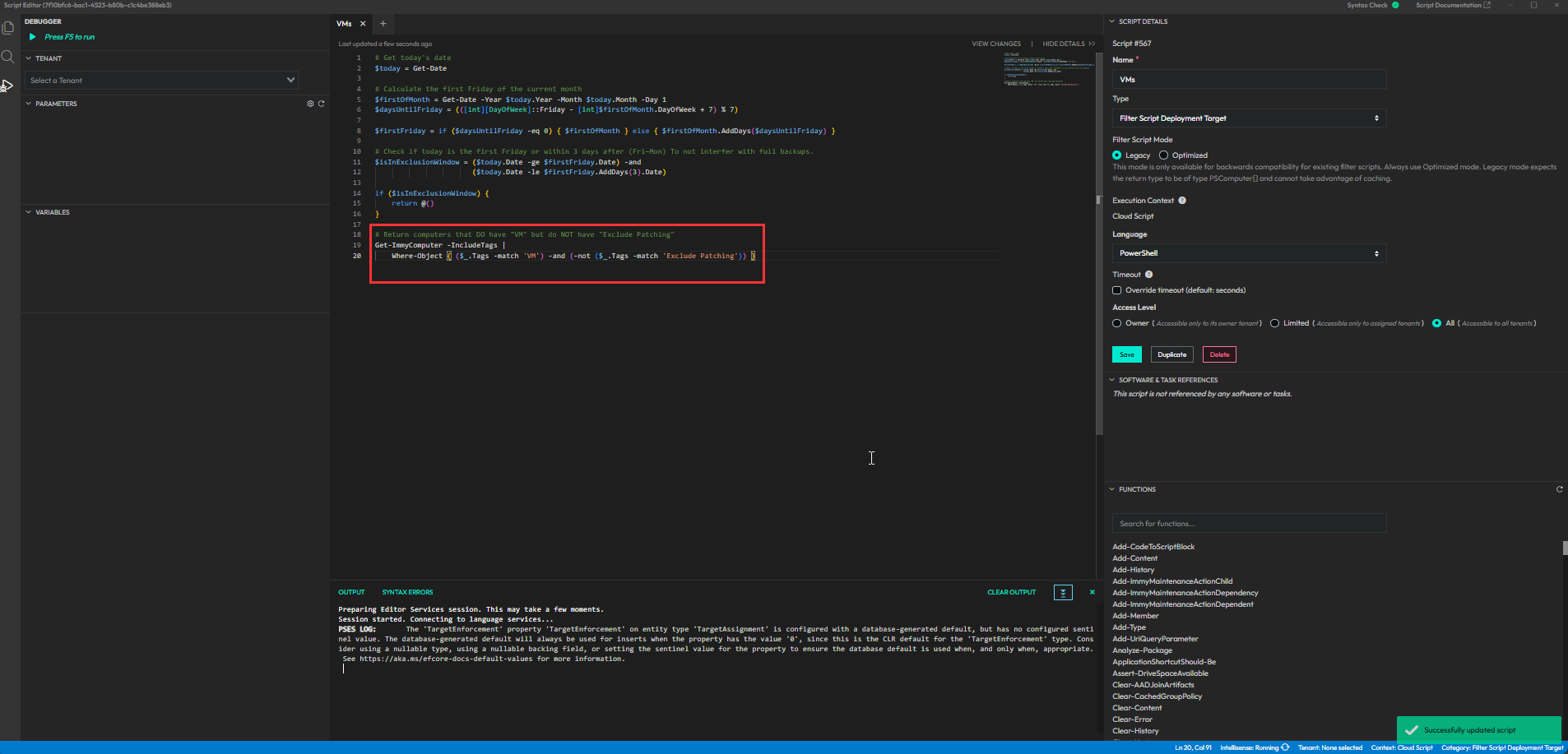
Here’s the code:
# Return computers that DO have "VM" but do NOT have "Exclude Patching"
Get-ImmyComputer -IncludeTags |
    Where-Object { ($_.Tags -match 'VM') -and (-not ($_.Tags -match 'Exclude Patching')) }
Also, you can filter for other things like os or tenant details. Here is a script we have that filters for windows 10 computer and excludes certain tenants.
Get-ImmyComputer -InventoryKeys WindowsSystemInfo | Where-Object {
    $_.Inventory.WindowsSystemInfo.OsName -like "*Windows*10*"
    -and    $_.TenantName -notin @('Company A', 'Company B', 'Company C')
}
Hopefully that helps! 