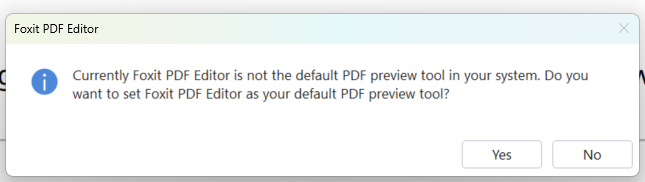
Add to Parameters so can apply to avoid running into this error
Suppress Foxit’s preview/default check entirely
This is the only stable solution in managed environments.
You already suspected this — and this is where Immy needs one extra step.
REQUIRED registry key (machine-wide)
HKLM\SOFTWARE\Foxit Software\Foxit PDF Editor\Preferences
DWORD: ShowSetDefaultPDFApp
Value: 0
If Reader may exist (or ever existed):
HKLM\SOFTWARE\Foxit Software\Foxit PDF Reader\Preferences
DWORD: ShowSetDefaultPDFApp
Value: 0
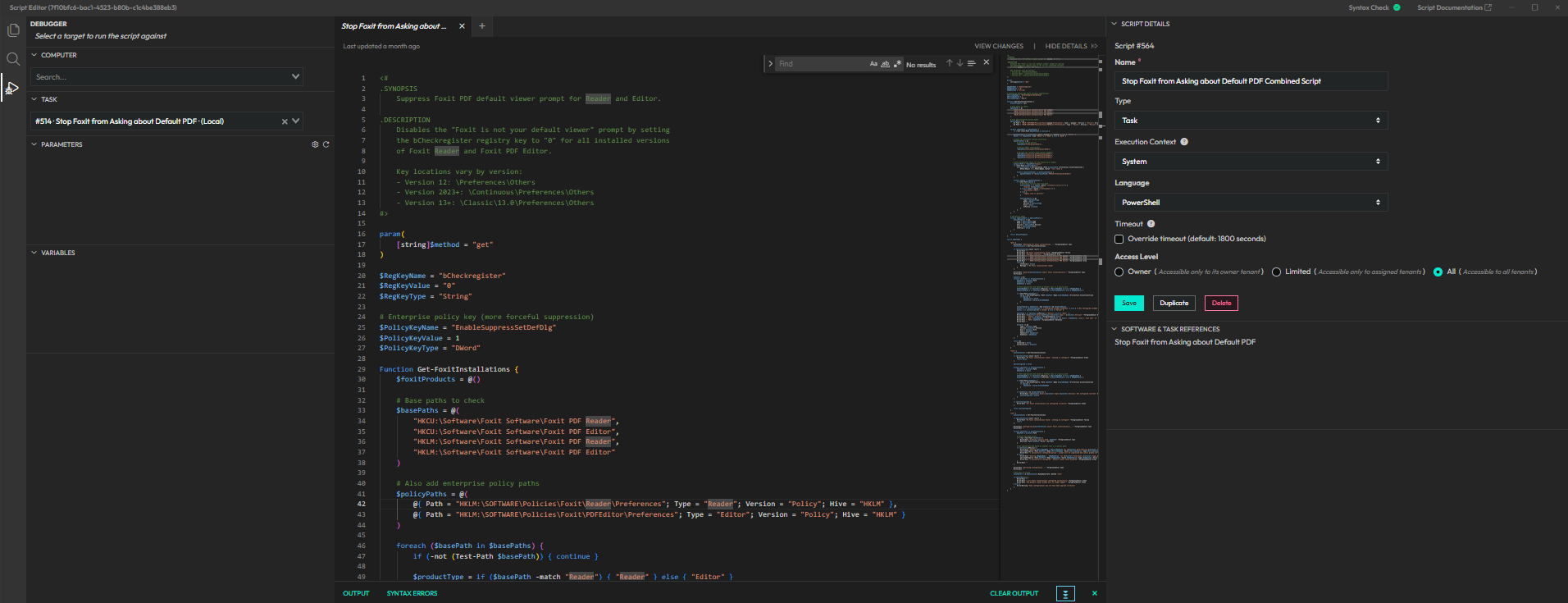
I agree! We actually made a custom task a while back to do that exact thing!
Feel free to take a look and if I remember right, you might need to open and close the program once and then it will take effect. Also, we have the script running with system context.
<#
.SYNOPSIS
    Suppress Foxit PDF default viewer prompt for Reader and Editor.

.DESCRIPTION
    Disables the "Foxit is not your default viewer" prompt by setting
    the bCheckregister registry key to "0" for all installed versions
    of Foxit Reader and Foxit PDF Editor.

    Key locations vary by version:
    - Version 12: \Preferences\Others
    - Version 2023+: \Continuous\Preferences\Others
    - Version 13+: \Classic\13.0\Preferences\Others
#>

param(
    [string]$method = "get"
)

$RegKeyName = "bCheckregister"
$RegKeyValue = "0"
$RegKeyType = "String"

# Enterprise policy key (more forceful suppression)
$PolicyKeyName = "EnableSuppressSetDefDlg"
$PolicyKeyValue = 1
$PolicyKeyType = "DWord"

Function Get-FoxitInstallations {
    $foxitProducts = @()

    # Base paths to check
    $basePaths = @(
        "HKCU:\Software\Foxit Software\Foxit PDF Reader",
        "HKCU:\Software\Foxit Software\Foxit PDF Editor",
        "HKLM:\Software\Foxit Software\Foxit PDF Reader",
        "HKLM:\Software\Foxit Software\Foxit PDF Editor"
    )

    # Also add enterprise policy paths
    $policyPaths = @(
        @{ Path = "HKLM:\SOFTWARE\Policies\Foxit\Reader\Preferences"; Type = "Reader"; Version = "Policy"; Hive = "HKLM" },
        @{ Path = "HKLM:\SOFTWARE\Policies\Foxit\PDFEditor\Preferences"; Type = "Editor"; Version = "Policy"; Hive = "HKLM" }
    )

    foreach ($basePath in $basePaths) {
        if (-not (Test-Path $basePath)) { continue }

        $productType = if ($basePath -match "Reader") { "Reader" } else { "Editor" }
        $hive = if ($basePath -like "HKCU:*") { "HKCU" } else { "HKLM" }

        # Check for different version structures
        $pathsToCheck = @(
            # Version 12 and earlier
            "$basePath\Preferences\Others",

            # Version 2023+ (Continuous)
            "$basePath\Continuous\Preferences\Others",

            # Version 13+ (Classic with version numbers)
            "$basePath\Classic\13.0\Preferences\Others",
            "$basePath\Classic\14.0\Preferences\Others",
            "$basePath\Classic\15.0\Preferences\Others"
        )

        # Also dynamically check for any Classic\X.X folders
        $classicPath = "$basePath\Classic"
        if (Test-Path $classicPath) {
            $versionFolders = Get-ChildItem -Path $classicPath -ErrorAction SilentlyContinue |
                Where-Object { $_.PSChildName -match '^\d+\.\d+$' }

            foreach ($versionFolder in $versionFolders) {
                $pathsToCheck += "$($versionFolder.PSPath)\Preferences\Others"
            }
        }

        foreach ($path in $pathsToCheck) {
            if (Test-Path $path) {
                # Determine version type from path
                $versionType = if ($path -match "\\Classic\\([\d.]+)\\") {
                    "Classic v$($matches[1])"
                } elseif ($path -match "\\Continuous\\") {
                    "Continuous (2023+)"
                } else {
                    "Legacy (v12 or earlier)"
                }

                $foxitProducts += @{
                    Type = $productType
                    Path = $path
                    Version = $versionType
                    Hive = $hive
                    IsPolicy = $false
                }
            }
        }
    }

    # Add policy paths
    foreach ($policyPath in $policyPaths) {
        $foxitProducts += @{
            Type = $policyPath.Type
            Path = $policyPath.Path
            Version = $policyPath.Version
            Hive = $policyPath.Hive
            IsPolicy = $true
        }
    }

    return $foxitProducts
}

switch ($method) {

    "get" {
        Write-Host "Searching for Foxit installations..." -ForegroundColor Cyan
        $installations = Get-FoxitInstallations

        if ($installations.Count -eq 0) {
            Write-Host ""
            Write-Host "No Foxit installations found" -ForegroundColor Yellow
            Write-Host "Checked locations:" -ForegroundColor Gray
            Write-Host "  - HKCU:\Software\Foxit Software\Foxit PDF Reader" -ForegroundColor Gray
            Write-Host "  - HKCU:\Software\Foxit Software\Foxit PDF Editor" -ForegroundColor Gray
            Write-Host "  - HKLM:\Software\Foxit Software\Foxit PDF Reader" -ForegroundColor Gray
            Write-Host "  - HKLM:\Software\Foxit Software\Foxit PDF Editor" -ForegroundColor Gray
            return @{
                Installed = $false
                Message = "No Foxit installations found"
            }
        }

        Write-Host "Found $($installations.Count) Foxit installation(s):" -ForegroundColor Cyan
        Write-Host ""

        $results = @()
        foreach ($install in $installations) {
            $keyPath = $install.Path
            $keyExists = $false
            $keyValue = $null

            # Check appropriate key based on whether this is a policy path
            $checkKeyName = if ($install.IsPolicy) { $PolicyKeyName } else { $RegKeyName }
            $expectedValue = if ($install.IsPolicy) { $PolicyKeyValue } else { $RegKeyValue }

            if (Test-Path $keyPath) {
                $prop = Get-ItemProperty -Path $keyPath -Name $checkKeyName -ErrorAction SilentlyContinue
                if ($prop) {
                    $keyExists = $true
                    $keyValue = $prop.$checkKeyName
                }
            }

            $isConfigured = $keyExists -and $keyValue -eq $expectedValue
            $status = if ($isConfigured) { "✓ Configured (prompt disabled)" } else { "✗ Not Configured (prompt will show)" }
            $color = if ($isConfigured) { "Green" } else { "Yellow" }

            $pathType = if ($install.IsPolicy) { "Policy" } else { "User"  }
            Write-Host "[$($install.Hive)/$pathType] $($install.Type) - $($install.Version)" -ForegroundColor White
            Write-Host "  Status: $status" -ForegroundColor $color
            Write-Host "  Key: $checkKeyName = $(if ($keyValue -ne $null) { $keyValue } else { '(not set)' })" -ForegroundColor Gray
            Write-Host "  Path: $keyPath" -ForegroundColor DarkGray
            Write-Host ""

            $results += @{
                Type = $install.Type
                Version = $install.Version
                Hive = $install.Hive
                Path = $keyPath
                KeyExists = $keyExists
                KeyValue = $keyValue
            }
        }

        return @{
            Installed = $true
            Installations = $results
        }
    }

    "test" {
        $installations = Get-FoxitInstallations

        if ($installations.Count -eq 0) {
            Write-Host "No Foxit installations found - nothing to configure" -ForegroundColor Green
            return $true
        }

        $allConfigured = $true

        foreach ($install in $installations) {
            $keyPath = $install.Path
            $keyValue = $null

            # Check appropriate key based on whether this is a policy path
            $checkKeyName = if ($install.IsPolicy) { $PolicyKeyName } else { $RegKeyName }
            $expectedValue = if ($install.IsPolicy) { $PolicyKeyValue } else { $RegKeyValue }

            if (Test-Path $keyPath) {
                $prop = Get-ItemProperty -Path $keyPath -Name $checkKeyName -ErrorAction SilentlyContinue
                if ($prop) {
                    $keyValue = $prop.$checkKeyName
                }
            }

            if ($keyValue -ne $expectedValue) {
                Write-Host "[$($install.Hive)] $($install.Type) $($install.Version): Not configured (Current: $(if ($keyValue -ne $null) { $keyValue } else { '(not set)' }))" -ForegroundColor Yellow
                $allConfigured = $false
            }
        }

        if ($allConfigured) {
            Write-Host "All Foxit installations are configured correctly" -ForegroundColor Green
        }

        return $allConfigured
    }

    "set" {
        $installations = Get-FoxitInstallations

        if ($installations.Count -eq 0) {
            Write-Host "No Foxit installations found - nothing to configure" -ForegroundColor Yellow
            return
        }

        Write-Host "Configuring $($installations.Count) Foxit installation(s)..." -ForegroundColor Cyan
        Write-Host ""

        foreach ($install in $installations) {
            $keyPath = $install.Path

            # Ensure the path exists
            if (-not (Test-Path $keyPath)) {
                Write-Host "Creating registry path: $keyPath" -ForegroundColor Cyan
                New-Item -Path $keyPath -Force | Out-Null
            }

            # Set appropriate key based on whether this is a policy path
            if ($install.IsPolicy) {
                Write-Host "Setting $PolicyKeyName = $PolicyKeyValue for [$($install.Hive)/Policy] $($install.Type)" -ForegroundColor Cyan
                Set-ItemProperty -Path $keyPath -Name $PolicyKeyName -Value $PolicyKeyValue -Type $PolicyKeyType -Force
                Write-Host "✓ Successfully configured policy - prompt will be suppressed and option greyed out" -ForegroundColor Green
            } else {
                Write-Host "Setting $RegKeyName = '$RegKeyValue' for [$($install.Hive)/User] $($install.Type) $($install.Version)" -ForegroundColor Cyan
                Set-ItemProperty -Path $keyPath -Name $RegKeyName -Value $RegKeyValue -Type $RegKeyType -Force
                Write-Host "✓ Successfully configured - default viewer check disabled" -ForegroundColor Green
            }
            Write-Host ""
        }

        Write-Host "Verifying configuration..." -ForegroundColor Cyan
        Write-Host ""

        # Run test to verify
        $testResult = & $MyInvocation.MyCommand.Path -method "test"

        if ($testResult) {
            Write-Host ""
            Write-Host "✓ All Foxit installations configured successfully" -ForegroundColor Green
            Write-Host "The default viewer prompt will no longer appear." -ForegroundColor Green
        } else {
            Write-Warning "Some configurations may not have been applied correctly"
        }
    }
}
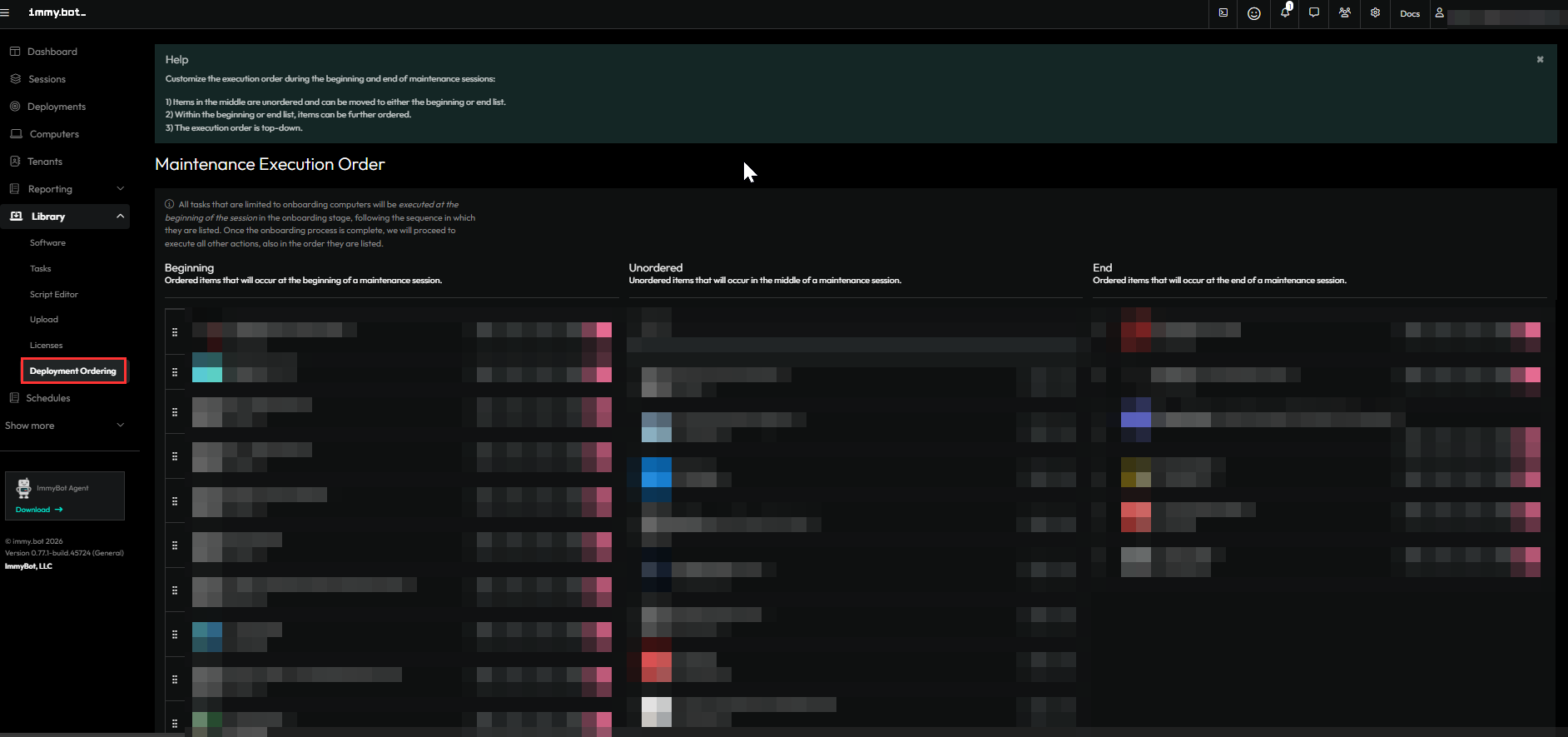
are you running that as a side task or did you mirror over the deployment to your local side?
Yep, just as a side task that we run after deployment of Foxit.
1 Like