I’m looking for the ability to Turn off CPU efficiency mode in BIOS.
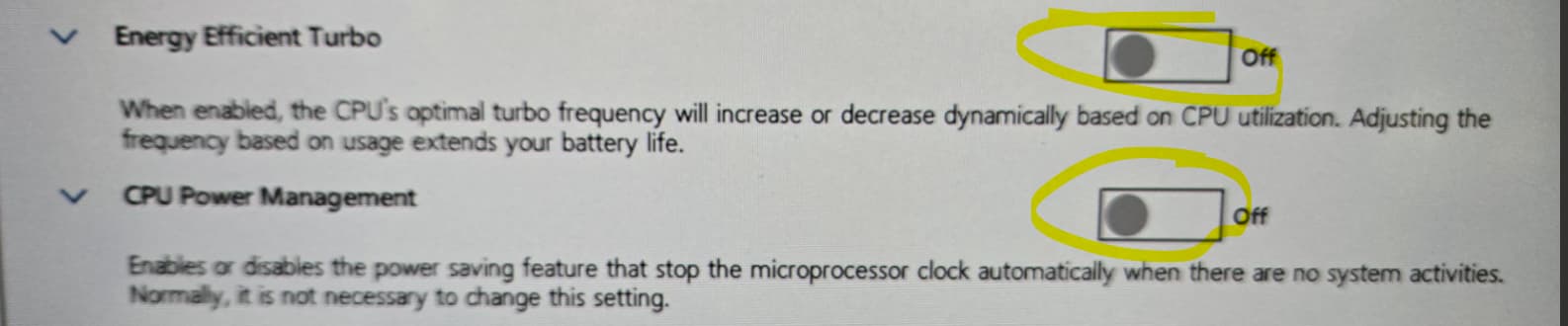
Hi Daniel,
There aren’t any global scripts that do this that I’m aware of but it’s an interesting task and challenge.
Is this screenshot from an Intel or motherboard manufacturer piece of software? If so you might need to start by checking their online resources.
Purely as an example, since I can’t quite tell from that screenshot, Lenovo has a feature by this name that can be controlled by means of a CLI interface:
https://support.lenovo.com/au/en/solutions/ht116433-lenovo-xclarity-essentials-onecli-onecli
This documentation appears to be for servers but maybe the same functionality/principles can apply to desktops if you find the right tool from your OEM. Either way, I’d say in order to get functionality from Immybot all the way to a BIOS/UEFI setting you would be looking at the following at least:
- Create a software entry that installs a CLI add-in from the OEM to the device that can send a command that the BIOS can interpret.
- Make a separate task to run the actual command of what you are wanting once the device is capable. Chuck a fairly lengthy timeout on that script to allow for rebooting/updating and etc.
Hopefully it goes without saying that if things go wrong trying to automatically manage a CPUs perfomance this could seriously mess up a device to the point where its not recoverable without flashing the motherboard with a clean BIOS, not to mention any issues with the OS either. I’d suggest you run this on something you have well backed up or doesn’t mean a great deal to you if it breaks.
I don’t work for Immybot - this is just how I would approach your challenge.
Hope some of this helps 
1 Like