Good afternoon, we recently started testing the “Set Wallpaper” for branding and realized that once it’s pushed, there is no way for the user or admin to change their wallpaper without just re-pushing this deployment. Is there a way to undo this or enable the user to change their wallpaper? We are only needing this for new hires. I’m not sure where this setting is being locked, I’ve checked RegEdit and wasn’t able to find anything. Thank you for any help!
We updated the wallpaper deployment so it now validates both existing users and future users.
Previously, the script only checked the current/existing user registry settings under:
HKCU\SOFTWARE\Microsoft\Windows\CurrentVersion\Policies\System
This meant the wallpaper was applied to users that already had profiles on the machine, but brand-new users could still receive the default wallpaper when their profile was created.
To address this, we added logic to load and update the Default User profile (C:\Users\Default\NTUSER.DAT) using Invoke-ImmyCommand running as System. The script now:
• Loads the Default User registry hive.
• Writes the Wallpaper and WallpaperStyle values into the Default User profile.
• Reads the values back to confirm they were written successfully.
• Unloads the hive once complete.
• Includes additional validation checks so compliance only passes when both the current user settings and the Default User profile settings match the expected wallpaper configuration.
This ensures that both existing users and newly created user profiles inherit the correct wallpaper settings.
$RegPath = “HKCU:\SOFTWARE\Microsoft\Windows\CurrentVersion\Policies\System”
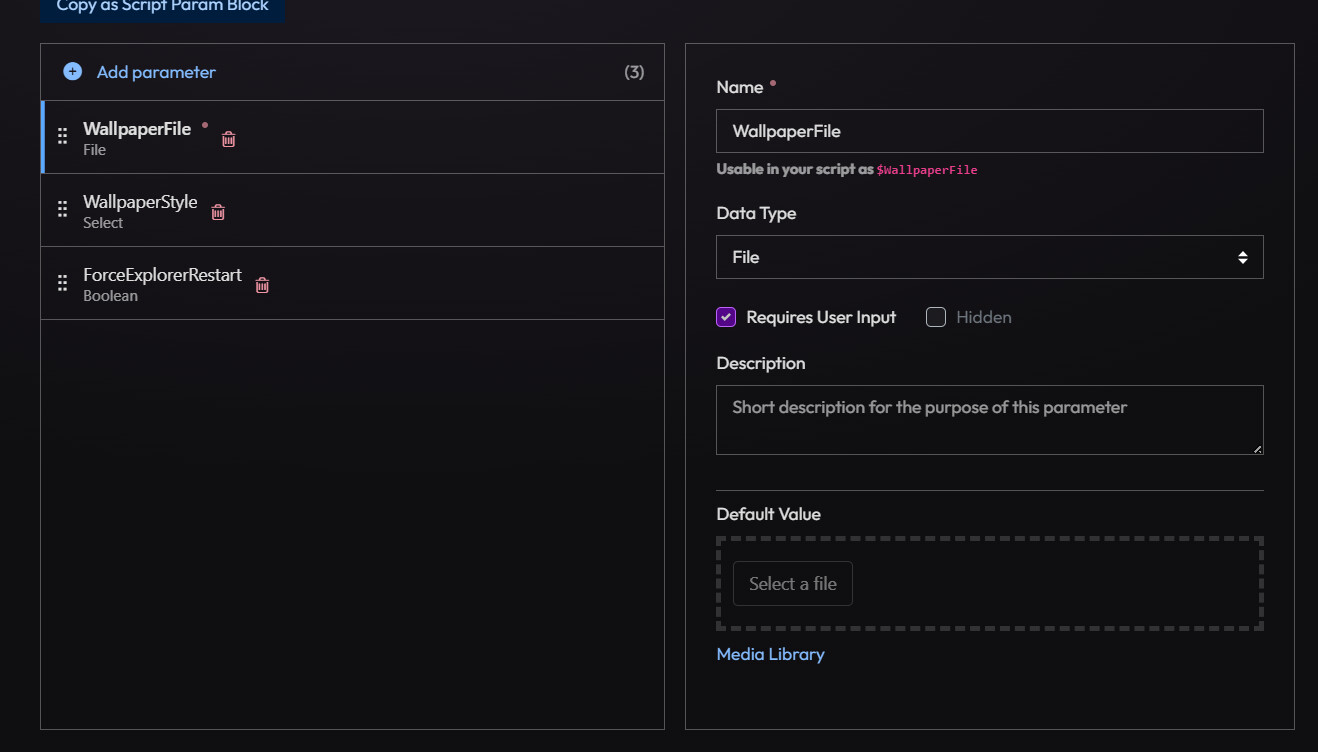
if($WallpaperFile) {
$WallpaperFile = invoke-immycommand {return “$($Using:WallpaperFile)”}
$WallpaperPath = invoke-immycommand {return “$($env:ProgramData)\Wallpaper”}
$WallpaperFileName = invoke-immycommand {return (Split-Path “$($Using:WallpaperFile)” -Leaf)}
$WallPaperInDestination = invoke-immycommand {return Join-Path “$($Using:WallpaperPath)” “$($Using:WallpaperFileName)” }
$WallPaperFile | FileShould-Be -InPath $WallpaperPath
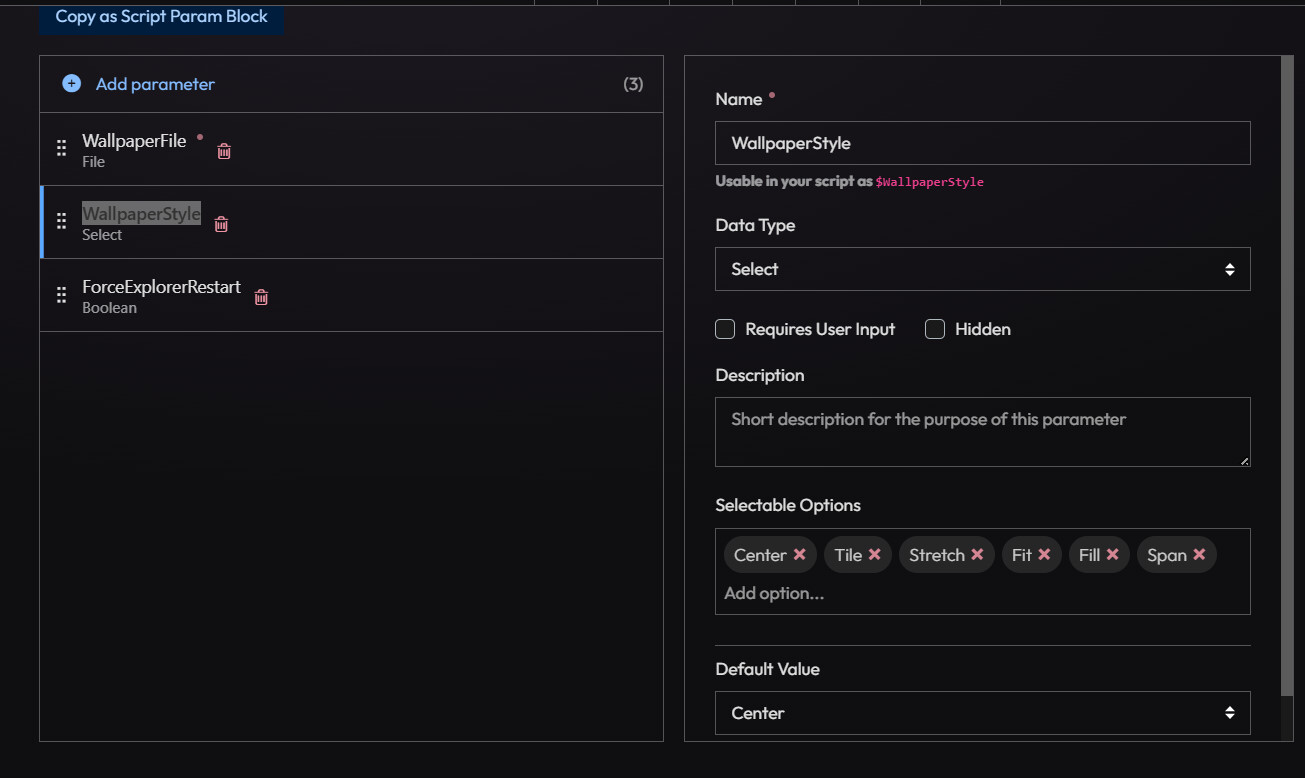
$WallpaperStyleValue = switch($WallpaperStyle) {
“Center” {“0”}
“Tile” {“1”}
“Stretch” {“2”}
“Fit” {“3”}
“Fill” {“4”}
“Span” {“5”}
}
}
$Test1 = Get-WindowsRegistryValue -Path $RegPath -Name “Wallpaper” | HKCUShould-Be -Value $WallPaperInDestination -Type String | Test-All
$Test2 = Get-WindowsRegistryValue -Path $RegPath -Name “WallpaperStyle” | HKCUShould-Be -Value $WallpaperStyleValue -Type String | Test-All
$DefaultData = Invoke-ImmyCommand {
reg load HKU\DefaultUser “C:\Users\Default\NTUSER.DAT” | Out-Null
$RegPath = “Registry::HKEY_USERS\DefaultUser\SOFTWARE\Microsoft\Windows\CurrentVersion\Policies\System”
New-Item -Path $RegPath -Force -ErrorAction SilentlyContinue | Out-Null
Set-ItemProperty -Path $RegPath -Name Wallpaper -Value $Using:WallPaperInDestination
Set-ItemProperty -Path $RegPath -Name WallpaperStyle -Value $Using:WallpaperStyleValue
$Wallpaper = (Get-ItemProperty $RegPath -Name Wallpaper).Wallpaper
$Style = (Get-ItemProperty $RegPath -Name WallpaperStyle).WallpaperStyle
Start-Sleep 2
try {
reg unload HKU\DefaultUser | Out-Null
}
catch {}
@{
Wallpaper = $Wallpaper
Style = $Style
}
} -Context System
$Test3 = $DefaultData.Wallpaper -eq $WallPaperInDestination
$Test4 = $DefaultData.Style -eq $WallpaperStyleValue
$Result = $Test1 -and $Test2 -and $Test3 -and $Test4
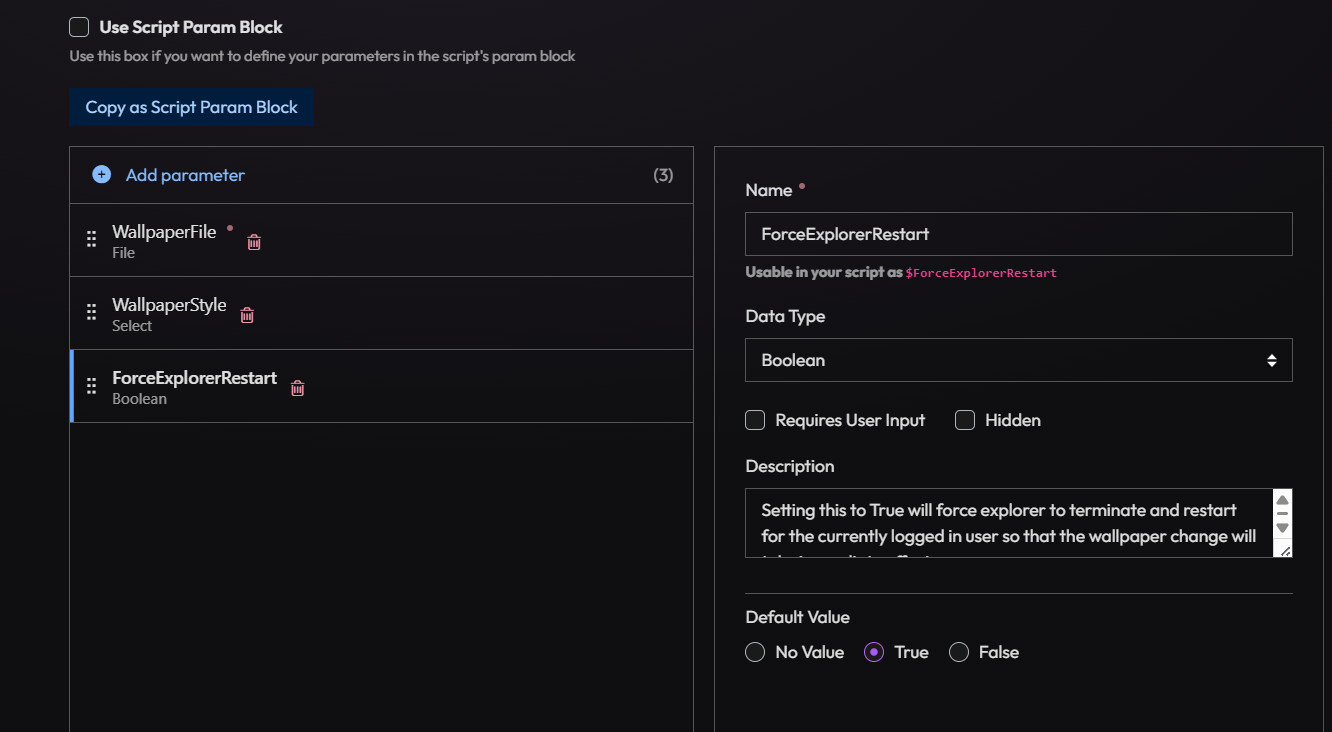
if(($method -eq “set”) -and ($Result -eq $false) -and ($ForceExplorerRestart -eq $true)) { #Wallpaper was changed, force explorer restart.
Invoke-ImmyCommand {
Write-Host “Forcing explorer restart for logged in user…”
taskkill /f /im explorer.exe | Out-Null
Start-Process explorer
} -Context User -ErrorAction SilentlyContinue
}
return $Result